
In Short
Eye contact in virtual meetings does not happen automatically. Your instincts pull your gaze to faces on screen, but the camera lens is the only place that creates real connection for the person watching you.
- Position your camera at eye level and place key participants close to the lens.
- Look into the lens when you speak; look at the screen when you listen.
- Short, deliberate camera contact builds more trust than sustained staring ever will.
Eye contact in virtual meetings is the practice of directing your gaze into the webcam lens rather than at faces on your screen, creating the visual impression of direct eye-to-eye connection for the people watching you. It is the primary signal of attention and presence in remote communication.
Imagine you are presenting a proposal to your director. You have prepared thoroughly. Your points are clear and well-ordered. But when the call ends, your director says: "I could not quite tell if you were engaged." Nothing about your content. Everything about how you appeared on screen. Eye contact in virtual meetings is the invisible factor that shapes whether people trust what they see, long before they judge what they hear. Most people lose this battle before they speak a single word, because they are looking at the wrong thing. They are watching faces on their screen instead of looking into the lens, and to everyone else on the call, that reads as distraction, discomfort, or indifference. This guide gives you a working system to fix that, step by step, so the next time you appear on screen, people feel genuinely met.
Why Virtual Eye Contact Is Harder Than It Sounds
The problem is structural, and it is not your fault.
In a face-to-face conversation, looking at someone's eyes and looking at their face are the same action. On video, they are not. The person's face is on your screen. The camera is above it, or to the side, or somewhere you rarely think about. When you look at the face, your eyes point away from the lens, and the other person sees you gazing slightly downward or sideways. They feel the absence of contact without being able to name exactly why.
Your brain does not naturally correct for this. You look at faces because that is what your social instincts tell you to do. Every cue you have been trained since childhood to follow is now pointing you in the wrong direction.
There is a second layer of difficulty. On a multi-person call, you may be watching six or eight faces at once, scattered across a grid that has no physical relationship to your camera. Every face you track pulls your eyes further from the lens. The more people on the call, the more broken your gaze becomes, and the more diffuse and unconnected you appear to all of them.
This is why nonverbal communication in tense situations becomes even more fragile on screen. The signals are already harder to read remotely, and fractured gaze makes every ambiguity worse.
"The Conversation You're Avoiding Is the One You Need to Have."
"The Conversation You're Avoiding
Is the One You Need to Have."
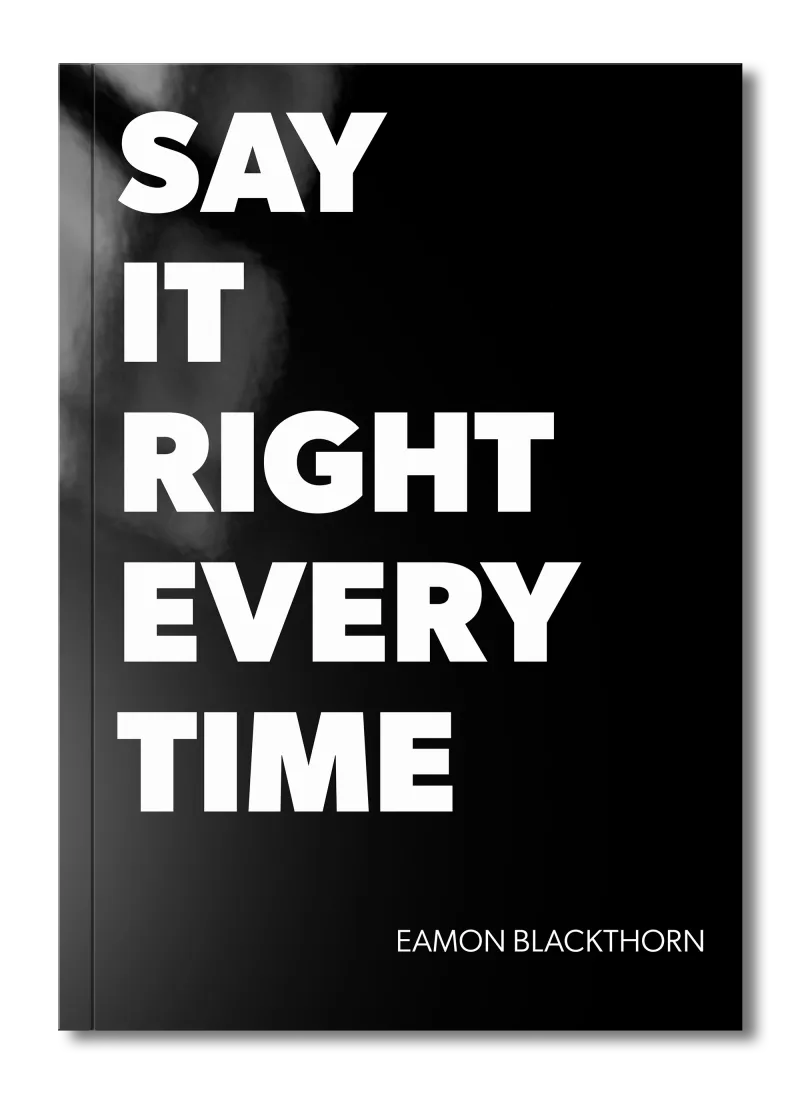
Stop rehearsing conversations you'll never have. Say It Right Every Time gives you 115 word-for-word scripts and 16 proven frameworks to speak with confidence in every conversation that matters.
What You Need in Place Before You Start
The steps below only work if your setup supports them. Spend five minutes on these before your next call.
Camera height: Your camera must be at, or very slightly above, eye level. If you are on a laptop sitting flat on a desk, your camera is below your eye line, angling upward. This makes you appear to look down at people, which signals detachment or dominance depending on the context. Use a stack of books, a box, or a monitor riser. This single adjustment changes how you appear on screen more than almost anything else.
Lighting: If your window is behind you, you become a silhouette. Your expressions vanish. Move so the light source is in front of you, illuminating your face. Natural light from a window facing you is ideal. Facial visibility is the foundation of nonverbal communication on video.
Screen arrangement: On a multi-person call, move the video thumbnails to the top of your screen, as close as possible to the camera lens. The shorter the distance your eyes must travel from face to lens, the more natural your gaze will appear when you shift between listening and speaking. This small rearrangement is worth ten minutes of practice on its own.
Once these three physical conditions are in place, you are ready to work on the technique itself.
How to Build Real Camera Presence: A Step-by-Step Process
Step 1: Find the lens before the call starts
Open your camera application and locate the small lens on your device. It is usually a dark circle at the top centre of your screen or at the top of your webcam unit. Place a small visual marker next to it: a tiny Post-it note arrow, a ring of sticky tack, a small sticker. This sounds trivial. It is not. Your eyes need a target. Without a physical marker, they drift to the screen every time, because the screen is where all the action is.
Step 2: Look into the lens when you speak
This is the core of the whole system. When you are making a point, delivering information, or asking a question, direct your gaze at the lens. Not at the faces. The lens. This is what creates the impression of direct eye contact for the people watching you. You will not be able to see their reactions while you do it, and that feels unnatural at first. Stay with it. Three to five seconds of lens contact while you speak is enough to register as genuine engagement.
A practical script: before you begin any important statement, take one breath and drop your gaze to the lens. Say: "Here is what I want you to consider." Then deliver your point while holding the lens. Then glance back to the screen to read the room. Repeat.
Step 3: Look at the screen when you listen
You do not need to stare into the lens for the entire meeting. That is both exhausting and unsettling for others. When someone else is speaking, look at their face on screen. This is natural. This is where your real listening signals live: your nods, your expressions of agreement or concern, your furrowed brow when something is unclear. Let those signals work. The other person needs to see that you are genuinely receiving what they say.
The rhythm is: lens when you speak, screen when you listen. Practise this alternation until it becomes automatic.
Step 4: Use the proximity trick on multi-person calls
On a call with multiple participants, you cannot maintain meaningful gaze with everyone at once. Instead, identify the one or two people whose attention matters most in that particular meeting, and position their video thumbnails as close to your lens as possible. When you speak to them, the travel distance from their face to the lens is small enough that your gaze appears natural rather than averted. For how to host engaging virtual meetings, this technique is one of the simplest ways to maintain authority and warmth across a larger group.
Step 5: Signal key moments with a deliberate lens hold
Some moments in a meeting carry more weight than others. You are making a commitment. You are delivering a difficult truth. You are asking someone to trust your judgement. These are the moments when a sustained, calm look into the lens carries real power.
Try this: when you reach a critical point, pause for one second before speaking. Look directly into the lens. Then speak your point, holding the lens for its full duration. Then pause again before moving on. The pause-lens-pause structure signals that what you are about to say matters. People feel it, even if they cannot tell you why.
Step 6: Record yourself and review without sound
This is the practice that accelerates everything else. Set a two-minute timer. Record yourself delivering a summary of something real: a project update, a position you want to argue, a piece of feedback. When you finish, watch the recording back with the sound completely off. Watch only your eyes. Notice where they go. Notice how many times you drift from lens to screen without realising it. Most people are startled by what they see. You will likely find your gaze lands far lower and less steadily than you imagined.
Do this once a week for a month. The improvement is significant and visible.
Step 7: Adapt your rhythm for one-on-one calls versus group calls
A one-on-one virtual call is more intimate, and the absence of gaze is more obvious. In that context, aim for lens contact for roughly sixty percent of the time you are speaking. It reads as engaged but not intense.
On a group call, that percentage drops naturally. Thirty to forty percent lens contact while speaking is plenty. The rest of your time can be spent reading the room, checking reactions, and adjusting as you go. Best practices for virtual meeting communication consistently point to this kind of conscious attention management as the difference between a meeting that connects and one that merely transfers information.
What Goes Wrong: The Three Mistakes Most People Make
The first mistake: staring at the lens without blinking or shifting.
Why it happens: People hear "look at the lens" and overcorrect. They lock their gaze and hold it, trying to prove they are present.
What to do instead: Think of it as a rhythm, not a lock. Brief, repeated contact. Three seconds on, three seconds off. Natural blinking. Movement between lens and screen. Connection, not performance.
The second mistake: treating every participant equally on a group call.
Why it happens: It feels polite to spread your attention evenly, so people scan across the grid trying to include everyone.
What to do instead: Identify the key person or people for each segment of the call. Direct your gaze toward their thumbnail and the lens during those moments. You can acknowledge others with nods and expressions. You cannot establish real presence with eight people simultaneously.
The third mistake: forgetting the camera exists when under pressure.
Why it happens: When the conversation gets difficult, your cognitive load increases. The first thing to go is camera awareness. Your eyes drop to the screen or the notes on your desk, and you appear to withdraw exactly when presence matters most.
What to do instead: Make a physical habit trigger. Before any difficult exchange, touch your physical lens marker. That small gesture is a reset cue. It pulls your attention back to the lens before you speak. For more on managing nonverbal signals when stakes are high, the guidance on nonverbal communication in tense situations is directly relevant here.
Before Your Next Virtual Meeting: A Camera Presence Checklist
Use this before every meeting where your presence matters.
Setup (do once, keep in place):
- Camera is at or just above eye level. Verify by checking your own thumbnail before the call starts.
- Your face is lit from the front. No bright window or light source behind you.
- A small lens marker is fixed next to your camera.
- Video thumbnails are positioned at the top of your screen, close to the lens.
Before you speak:
- Identify the one or two people whose attention matters most in this meeting.
- Move their thumbnails to the top of your grid, nearest the lens.
- Take one breath before your first point. Drop your gaze to the lens.
During the meeting:
- Lens when you speak. Screen when you listen.
- Use the pause-lens-pause technique for any statement that carries weight.
- On critical moments, hold the lens for the full duration of your point.
- If you feel your gaze drifting, use your lens marker as a physical reset.
After the meeting:
- Once a week, record a two-minute practice clip and review it with the sound off.
- Note one specific improvement to work on before the next session.
Leaders staying visible in virtual workspaces do exactly this kind of deliberate review. Visibility is not accidental. It is built through small, repeatable habits.
The Role of Gaze in Remote Team Culture
Eye contact in virtual meetings is not only a personal skill. It shapes the culture of how a remote team communicates over time.
When leaders consistently demonstrate real camera presence, it sets a standard. People begin to feel that meetings are genuine exchanges rather than information broadcasts. Engagement rises. Trust builds faster. The role of communication in meeting success identifies presence and perceived attentiveness as two of the strongest predictors of how teams rate the value of their meetings.
The inverse is equally true. When the person leading a meeting is visibly distracted, eyes drifting, gaze fragmented, the whole room relaxes its attention. Standards lower. Presence becomes optional. Feedback in remote teams becomes harder to give and receive credibly when the basic signal of attention is absent from the culture.
If you manage a team remotely, your camera habits are setting the bar. What you model, others follow. And if you are navigating conflict in your meetings, consistent, calm gaze into the lens is one of the clearest signals you can send that you are present and steady. That matters deeply in how to handle conflict during meetings, where perceived withdrawal through broken eye contact can escalate tension quickly.
Frequently Asked Questions (FAQ)
What is eye contact virtual in meetings?
Eye contact in virtual meetings means looking directly into your webcam lens rather than at faces on your screen. This creates the visual impression of direct eye-to-eye connection for the other person. Most people never do this naturally, which is why presence and trust are so hard to build online.
How do I make better eye contact in virtual meetings?
Position your camera at eye level, place your most important participant near the top of your screen close to the lens, and practise short bursts of looking directly into the camera when you speak. You do not need to stare constantly. Brief, deliberate camera contact carries more weight than sustained forced gaze.
Why does my eye contact in virtual meetings look off?
Because your instinct is to look at faces on screen, which reads as downward or sideways gaze to the other person. The camera lens is the actual point of connection. Looking at the screen instead of the lens is the single most common mistake in video communication.
How long should I hold eye contact in a virtual meeting?
Three to five seconds per contact is enough to signal attention and confidence. Hold gaze into the lens when making a key point, then look back at the screen to read the room. Constant camera staring reads as unnerving. Rhythmic, intentional contact is far more effective than sustained staring.
Does camera position affect eye contact in virtual meetings?
Camera position directly determines how natural your eye contact looks. A camera below eye level makes you appear to be looking down, signalling disinterest or dominance depending on context. A camera at or just above eye level creates the most natural, engaged gaze for whoever is watching.
Can I practise eye contact for virtual meetings?
Yes, and you should. Record a short two-minute video of yourself speaking and watch it back with the sound off. Notice where your gaze actually lands. Practise a single ninety-second segment looking only into the lens. Review it again. Most people improve significantly within three or four short practice sessions.
The technology of virtual meetings changes every few years. The human need to feel seen does not. Eye contact in virtual meetings is the closest thing we have online to the real thing, and it is entirely within your control to get it right. Fix your setup, practise your rhythm, and review your own footage honestly. Do those three things consistently, and the people on the other side of the screen will feel it. Not as a technique. As presence.